
Views: 0 Author: Site Editor Publish Time: 2026-02-05 Origin: Site


Box fans are a convenient and affordable way to keep cool during hot weather. However, like any other electrical appliance, they can sometimes stop working unexpectedly. If your box fan has stopped functioning, don’t panic. There are several possible reasons why a fan might stop working, and many of them can be fixed easily at home.
In this article, we’ll walk you through the steps to diagnose and fix a box fan that’s not working, offering practical tips and solutions. Whether you’re dealing with a faulty motor, a broken switch, or something else, this guide will help you get your fan running again in no time.
Before you begin troubleshooting, it’s essential to understand the most common causes of a non-working box fan. These include:
Electrical Issues: A tripped circuit breaker or a faulty power cord could be the reason your fan isn’t turning on.
Overheating: Box fans can overheat if they are running for extended periods, leading to a thermal shutdown.
Motor Malfunction: The fan’s motor might be faulty, causing the blades to stop moving.
Dirty Blades or Motor: Accumulated dust and debris can block the fan’s airflow or cause the motor to seize.
Faulty Capacitor or Switch: The capacitor or switch could be broken, preventing the fan from operating.
Let’s go through each potential issue and discuss how to fix it.
Cause | Description | Solution |
Electrical Issues | A tripped circuit breaker or faulty power cord | Check power supply and reset circuit breaker |
Overheating | Fan may overheat after extended use | Let the fan cool down and ensure proper ventilation |
Motor Malfunction | Faulty motor causing blades to stop moving | Inspect the motor for visible damage or debris, and clean it |
Dirty Blades or Motor | Dust and debris block airflow or seize motor | Clean the blades and motor with compressed air or a brush |
Faulty Capacitor/Switch | Broken capacitor or switch preventing operation | Replace the faulty capacitor or switch |
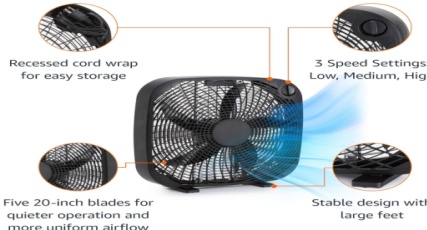
When your box fan stops working, it can be frustrating, especially during hot weather. However, before you decide to replace it, consider troubleshooting the issue first. This step-by-step guide will help you diagnose and potentially fix your box fan, saving you time and money. Follow these steps to identify and resolve the common problems associated with box fans.
The first thing you should do when your box fan stops working is to ensure it's receiving power. Here are some essential checks:
Plug: Ensure that the power cord is securely plugged into the outlet. Sometimes, the plug can become loose, causing an intermittent connection or no connection at all.
Power Outlet: Test the outlet to ensure it’s providing power by plugging in another device like a lamp or phone charger. If the device works, then the outlet is fine.
Circuit Breaker: If the outlet seems dead, check the circuit breaker in your home. Sometimes, a circuit breaker trips, cutting power to the fan or other appliances. Reset the breaker to restore power.
If the fan is plugged in and the power supply is fine, but the fan still doesn’t work, the issue might be with the motor. Here’s how to check the motor:
Unplug the Fan: Safety comes first! Always disconnect the fan from the power source before inspecting or fixing anything.
Visual Inspection: Check the motor for any visible signs of damage, such as burnt wires, corrosion, or broken components. If you spot damage, the motor might need replacement.
Spin the Blades: Try spinning the fan blades by hand. If they spin freely, the motor may still be operational. If the blades are stiff or won’t move at all, the motor could be seized or stuck. In some cases, dust and debris may cause the motor to freeze up.
Fixing the Motor: If the motor appears to be stuck due to dust, use compressed air or a small brush to clean it. If the motor is damaged or malfunctioning, you may need to replace it.
Over time, dust and debris can accumulate inside the fan, causing it to perform poorly or stop altogether. Here’s how to clean your box fan:
Turn Off and Unplug the Fan: Always ensure the fan is unplugged before you start cleaning to prevent electrical hazards.
Clean the Blades: Dust can accumulate on the fan blades, affecting airflow. Use a damp cloth to wipe down the blades and remove any dust. For stubborn grime, a soft brush can help.
Clean the Motor and Vents: Dust can also accumulate in the motor and ventilation holes, leading to overheating and malfunction. Use compressed air or a vacuum cleaner with a brush attachment to remove dust and debris from the motor and vents. Avoid using excessive force, as the motor components can be delicate.
The capacitor is responsible for starting the motor, and the switch controls the power flow to the fan. If the fan doesn’t turn on or starts intermittently, the issue might lie with these components:
Capacitor Issues: The capacitor helps start the motor. If the capacitor is swollen, leaking, or visibly damaged, it could prevent the motor from starting. In such cases, the capacitor should be replaced.
Switch Problems: If your fan works only intermittently or the switch feels loose or hard to operate, the switch could be faulty. A malfunctioning switch may need to be replaced to restore the fan’s functionality.
If your fan has been running for long periods or is overworked, it may overheat and shut off automatically as a safety measure. Here’s how to handle overheating:
Let the Fan Cool Down: If the fan feels hot to the touch, turn it off and allow it to cool for at least 30 minutes. Overheating can cause internal components to malfunction or shut off temporarily.
Ensure Proper Ventilation: After the fan cools down, make sure it has proper ventilation. Ensure that no furniture or objects are blocking the airflow around the fan. Poor airflow can lead to overheating, causing the fan to stop working. Keep the fan in a well-ventilated area for optimal performance.
In some box fan models, especially those with larger motors or fan blades, a belt drives the blades. If the belt is damaged or loose, the fan may fail to function.
Inspect the Belt: Check for signs of wear or breakage in the belt. If the belt is loose, tighten it to ensure it runs properly. If the belt is damaged, it may need to be replaced.
Adjust the Tension: Sometimes the belt may simply need adjusting. Ensure that the belt is taut enough to engage the motor effectively.
After completing all of the above steps, plug the fan back in and test it by turning it on. If the fan starts and operates as it should, then the issue has been resolved. If it still doesn't work, further investigation into internal components like the motor winding or other electrical parts may be necessary.
While many issues with a box fan can be resolved with basic troubleshooting, some situations might require professional assistance. For example, if you’ve checked the motor, capacitor, and power supply and the fan still isn’t working, it could be time to call a technician. A professional can diagnose more complex issues, like a faulty internal wiring system, and safely repair or replace the necessary parts.
Fixing a box fan that has stopped working doesn’t have to be complicated. By following the steps outlined in this guide, you can address common issues like electrical problems, motor malfunctions, and overheating. Remember to always prioritize safety when working with electrical appliances and don’t hesitate to call a professional if the problem persists.
If you're looking for high-quality box fans that will keep your space cool and comfortable, check out the range of options available from Foshan Winsight Home Appliance Co., Ltd. Their expert team can provide guidance on selecting the perfect fan for your needs, and they offer reliable customer support for any issues you may encounter.
1. What should I do if my box fan is making a strange noise?
Strange noises may indicate that the blades are obstructed, the motor is failing, or there is dust buildup. First, unplug the fan and clean the blades and motor. If the noise persists, the motor or bearings might need repair or replacement.
2. Why is my box fan not blowing air?
This could be caused by a stuck motor, a broken fan blade, or a faulty capacitor. Check the motor, clean the blades, and test the fan again. If it still doesn’t work, the capacitor or switch might need replacement.
3. How can I prevent my box fan from overheating?
To avoid overheating, make sure the fan is placed in a well-ventilated area and isn’t obstructed by furniture or curtains. Additionally, avoid running the fan continuously for long periods.
4. Can I fix a broken fan blade on my box fan?
If a fan blade is broken, it may be possible to replace it. Check the manufacturer’s instructions for replacement parts and follow the guide to ensure proper installation.

